Tag: SEO

  • Keyword Research in SEO : Guide in 2026

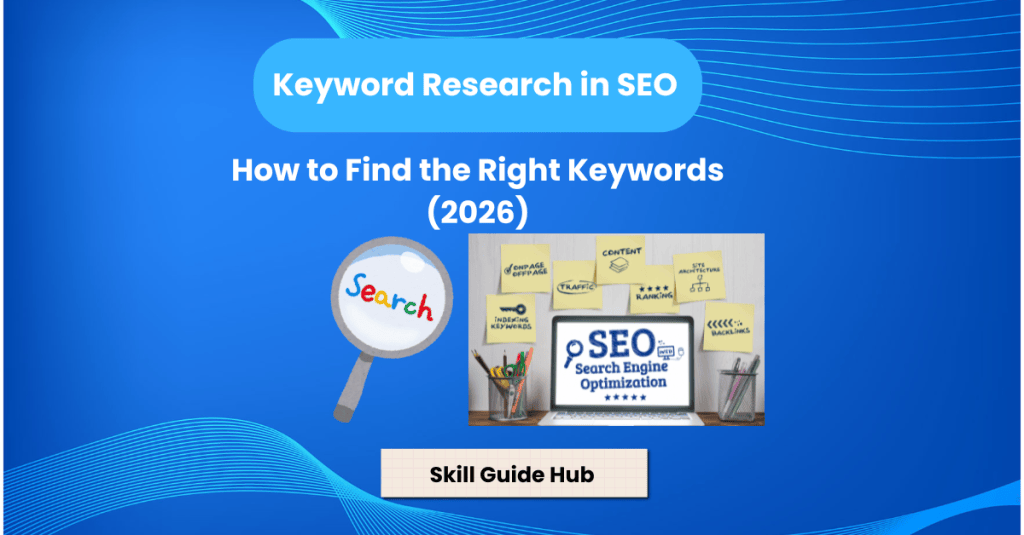
    Keyword Research in SEO : Guide in 2026

    If you want to learn about Search Engine Optimization or SEO you need to understand Keyword Research. It is a thing to be learned. Content is available but it’s hard to get people to your website if you’re using the wrong keywords.

    Keyword Research is important because it shows you what people are looking for on Google. That means you can write the kind of content that people actually want to read. This guide will explain what it is. I will use words so people who are new will be able to understand it easily. It’s part of SEO.” When you are learning SEO, it is good to know about keyword research in.

    1. What is Keyword Research?
    2. Why is Keyword Research Important?
    3. What is Search Intent in Keyword Research?
    4. Short-Tail vs Long-Tail Keywords
      1. Short-Tail Keywords
      2. Long-Tail Keywords
    5. Primary vs Secondary vs LSI Keywords
      1. Primary Keyword
      2. Secondary Keyword
      3. LSI Keyword
    6. How to Find Right Keyword?
    7. Conclusion
    8. FAQs – Keyword Research in SEO: A Beginner’s Guide (2026)
      1. 1. What is keyword research in SEO?
      2. 2. Why is keyword research important for SEO?
      3. 3. What are the different types of keywords?
      4. 4. Which free tools can beginners use for keyword research?
      5. 5. What is search intent in keyword research?
      6. 6. How do I choose the right keywords for my website?

    What is Keyword Research?

    It is the process of finding words and phrases that people type into search engines like Google. This is a step because it helps you understand what people are looking for.

    For example if you are writing about “Excel” people may actually search for things like

    • Excel formulas for beginners
    • Excel shortcuts
    • Learn Excel online

    These search terms are called keywords. They are what people use to find things on the internet.

    By targeting the right way you can increase the chances of your website appearing in Google search results. This is what you want because it means more people will see your website.

    Why is Keyword Research Important?

    It helps you do a lot of things which helps you in

    • Understand what users are searching for
    • Create content that matches what people are looking for
    • Increase traffic to your website
    • Find opportunities that’re not too competitive
    • Improve your websites rankings on Google

    Without research in keyword writing content is like guessing what people want. You might write something that nobody cares about.

    What is Search Intent in Keyword Research?

    When people search on Google they usually have a reason behind their search. Understanding that reason is called understanding search intent. It helps you create content that matches what users are looking for.

    There are four types of search intent.

    1. Informational Intent

    Some people simply want to learn something or find answers to their questions.

    For example:

    • What is SEO?
    • How to bake a cake?
    • How to learn Excel?

    These users are looking for information and blog posts or tutorials are perfect for satisfying this type of search.

    1. Navigational Intent

    Sometimes people already know where they want to go. They use Google to find a website or page.

    Examples include:

    • Facebook login
    • Nike official website
    • YouTube

    In this case users are trying to navigate to a destination.

    1. Commercial Intent

    People with intent are researching before making a decision. They are comparing products or services to find the option.

    Examples:

    • Best running shoes for beginners
    • Mailchimp vs Constant Contact
    • Best SEO tools in 2026

    Comparison articles and reviews usually target keywords.

    1. Transactional Intent

    Users with intent are ready to take action. They may want to buy a product subscribe to a service or hire someone.

    Examples:

    • Buy iPhone 15 Pro
    • Netflix subscription
    • Hire SEO expert

    These keywords are valuable because users are close to making a purchase.

    Short-Tail vs Long-Tail Keywords

    Keywords can generally be divided into two types.

    Short-Tail Keywords

    They are broad and highly competitive.

    Examples:

    • Shoes
    • Marketing
    • SEO

    Many people search for these terms making it difficult for new websites to rank.

    Long-Tail Keywords

    They are more specific. Usually have less competition.

    Examples:

    • Running shoes for feet
    • Affordable digital marketing agencies for startups
    • Excel formulas for beginners

    Although fewer people search for these keywords they often attract visitors who’re more likely to take action.

    Primary vs Secondary vs LSI Keywords

    When creating content it is important to understand types of keywords.

    Primary Keyword

    The primary keyword represents the topic of your page.

    For example:

    • Keyword Research in SEO

    Secondary Keyword

    They are related terms that support your main topic.

    Examples:

    • SEO keyword
    • Keyword research tools
    • Search intent

    LSI Keyword

    LSI keyword are words and phrases closely related to your topic.

    For example if your topic is Apple, related words might include:

    • Fruit
    • Orchard
    • Juice

    These help search engines better understand your content and improve relevance.

    How to Find Right Keyword?

    There are a ways to find keywords.

    Google Search Suggestions are a place to start. Just start typing your topic on Google and look at the suggestions.

    For example if you type “Keyword research…” Google may suggest

    • keyword research tools
    • keyword research for beginners
    • keyword research in SEO

    These suggestions come from Google searches that people have done.

    The “People Ask” section on Google is also very useful. It provides ideas for content. Can even become headings in your article.

    You can also look at your competitors. Analyze what type of content they publish and see what you can learn from them. This can help you discover keyword opportunities.

    There are also some free tools that you can use.

    Some useful tools include

    • Google Keyword Planner
    • Google Trends
    • Ubersuggest
    • Ahrefs Free Keyword Generator
    • Semrush Keyword Overview tool

    These tools help you find there ideas and see what is trending.

    Understanding Search Intent is also very important. Before you target a keyword you need to ask yourself “What does the user actually want?”

    For example someone searching for “Excel formulas for beginners” wants to learn Excel, not buy software. Understanding what people are looking for helps you create content.

    Conclusion

    Keyword Research is a foundation of SEO. Choosing the it right will help you to reach the right audience with your content and to increase your chances to rank on Google also optimize on page seo. I would recommend to focus on long-tail keywords and create content consistently. It gets much easier and more effective with practice. This is something that you should always do when you are creating content for your website. It helps you know what it is and how to use research in your advantage.

    FAQs – Keyword Research in SEO: A Beginner’s Guide (2026)

    1. What is keyword research in SEO?

    Keyword research is the process of finding the words and phrases people use in search engines to help create content that matches user search intent.

    2. Why is keyword research important for SEO?

    Keyword research helps you understand what your audience is searching for, improve content relevance, increase organic traffic, and target the right search queries.

    3. What are the different types of keywords?

    The main types include short-tail keywords, long-tail keywords, informational keywords, navigational keywords, commercial keywords, and transactional keywords.

    4. Which free tools can beginners use for keyword research?

    Beginners can use Google Keyword Planner, Google Search Console, Google Trends, Keyword Surfer, AnswerThePublic (free version), and Google Autocomplete.

    5. What is search intent in keyword research?

    Search intent is the purpose behind a user’s search. It can be informational, navigational, commercial, or transactional, and understanding it helps create more relevant content.

    6. How do I choose the right keywords for my website?

    Choose keywords that are relevant to your content, have reasonable search volume, match user intent, and have competition levels appropriate for your website’s authority.
  • HTML Tags Every SEO Beginner Should Know (2026 Guide)

    HTML Tags Every SEO Beginner Should Know (2026 Guide)

    Search engine optimization (SEO) isn’t just about keywords and backlinks. The structure of your website’s HTML plays a crucial role in helping search engines understand and rank your content. If you’re new to SEO, learning a few key HTML tags can make a significant difference.

    In this guide, you’ll explore the most important HTML tags every SEO beginner should know and learn how to use them effectively.

    1. What Is HTML and Why Does It Matter for SEO?
    2. What is Title Tag?
    3. What is Meta Description Tag?
    4. What is Heading Tags (H1–H6)?
    5. What is image Alt Text?
    6. Anchor Tags and Internal Links
    7. Canonical Tag
    8. What is Robots.txt?
    9. What is Schema Markup?
    10. What is Open Graph Tags?
    11. What are Common HTML SEO Mistakes ?
      1. Missing Title Tags
      2. Multiple H1 Tags
      3. Missing Alt Text
      4. Duplicate Meta Descriptions
      5. Broken Links
      6. Poor Heading Structure
    12. What are Best Practices for SEO-Friendly HTML?
    13. Conclusion
    14. Frequently Asked Questions
      1. Is HTML important for SEO?
      2. Which HTML tag is most important for SEO?
      3. Does Google read HTML?
      4. Do heading tags affect SEO?
      5. Can image alt text improve rankings?

    What Is HTML and Why Does It Matter for SEO?

    HTML (HyperText Markup Language) is the code used to structure web pages. Search engines like Google read HTML to understand:

    • What your page is about
    • Which content is most important
    • What images represent
    • How pages are connected
    • Whether a page should be indexed

    Using HTML correctly helps improve user experience and organic rankings.

    What is Title Tag?

    The title tag is one of the most important on-page SEO elements.

    Example:

    <title>My Awesome Webpage Title</title>

    Why It Matters

    • Appears in Google search results.
    • Helps search engines understand the page topic.
    • Influences click-through rates.

    Best Practices

    • Include your primary keyword.
    • Keep it around 50–60 characters.
    • Make it clear and compelling.

    What is Meta Description Tag?

    The meta description summarizes your page.

    Example:

    <meta name=”description”
    content=”Learn SEO basics with this beginner-friendly guide for 2026.”>

    Why it Matters

    • Appears below the title in search results.
    • Encourages users to click your page.
    • Improves click-through rate.

    Best Practices

    • Write unique descriptions.
    • Include keywords naturally.
    • Keep it around 150–160 characters.

    What is Heading Tags (H1–H6)?

    Heading tags organize content and improve readability.

    Example:

    <h1>Main Title (Largest)</h1>

    <h2>Major Section Heading</h2>

    <h3>Subsection Heading</h3>

    <h4>Sub-subsection Heading</h4>

    <h5>Minor Heading</h5>

    <h6>Least Important Heading (Smallest)</h6>

    Why They Matter

    • Help search engines understand content structure.
    • Improve user experience.
    • Make articles easier to read.

    Best Practices

    • Use one H1 tag per page.
    • Use H2 and H3 tags logically.
    • Include keywords naturally.

    What is image Alt Text?

    Alt text describes images.

    Example:

    <img src=”power-bi-dashboard.jpg” alt=”Power BI dashboard showing business analytics data”>

    Why It Matters

    • Helps visually impaired users.
    • Allows Google to understand images.
    • Improves image search rankings.

    Best Practices

    • Write descriptive alt text.
    • Avoid keyword stuffing.
    • Keep descriptions concise.

    Anchor tags create links.

    Example:

    Anchor Tag:

    <a href=”https://skillguidehub.wordpress.com/2026/06/26/technical-seo-guide-for-beginners/“>Technical SEO GUIDE</a>

    Internal Links

    <a href=”/what-is-power-bi/”>What Is Power BI?</a>

    Why They Matter

    • Help search engines discover pages.
    • Improve website navigation.
    • Spread link authority throughout your site.

    Best Practices

    • Use descriptive anchor text.
    • Link relevant pages together.
    • Avoid generic text like “Click here.”

    Canonical Tag

    Canonical tags prevent duplicate content issues.

    Example:

    <link rel=”canonical” href=”https://skillguidehub.wordpress.com/2026/06/25/a-beginners-guide-to-power-bi/“>

    Why It Matters

    • Tells Google which version of a page is preferred.
    • Prevents duplicate content problems.

    What is Robots.txt?

    Robots tags tell search engines whether to index a page.

    Example:

    <meta name=”robots” content=”index, follow”>

    Why It Matters

    • Controls indexing.
    • Prevents unwanted pages from appearing in search results.

    What is Schema Markup?

    Schema markup helps search engines understand content better.

    Example:

    <script type=”application/ld+json”>
    {
    “@context”: “https://schema.org“,
    “@type”: “Article”,
    “headline”: “What Is SEO?”
    }
    </script>

    Why It Matters

    • Can improve visibility in search results.
    • Enables rich snippets.
    • Provides additional information to search engines.

    What is Open Graph Tags?

    These tags control how pages appear on social media.

    Example:

    <meta property=”og:title”
    content=”What Is SEO? A Simple Beginner’s Guide”>

    <meta property=”og:image”
    content=”seo-guide.jpg”>

    Why They Matter

    • Improve social sharing.
    • Create attractive previews on Facebook and LinkedIn.

    What are Common HTML SEO Mistakes ?

    Missing Title Tags

    Every page should have a unique title.

    Multiple H1 Tags

    Use only one H1 per page.

    Missing Alt Text

    Always add descriptive alt text to images.

    Duplicate Meta Descriptions

    Each page should have a unique description.

    Regularly check internal and external links.

    Poor Heading Structure

    Organize content using H1, H2, and H3 tags properly.

    What are Best Practices for SEO-Friendly HTML?

    ✔ Use one H1 tag per page.

    ✔ Write descriptive title tags.

    ✔ Add compelling meta descriptions.

    ✔ Optimize image alt text.

    ✔ Create clear heading structures.

    ✔ Use descriptive internal links.

    ✔ Avoid duplicate content.

    ✔ Add schema markup where appropriate.

    ✔ Make pages mobile-friendly.

    ✔ Improve page loading speed.

    Conclusion

    Understanding basic HTML is valuable for anyone interested in SEO. You don’t need to become a web developer, but knowing how title tags, meta descriptions, headings, alt text, and internal links work can help you optimize pages more effectively.

    By mastering these HTML tags, you’ll build a stronger foundation for on-page SEO and improve your chances of achieving better organic rankings in 2026.

    Frequently Asked Questions

    Is HTML important for SEO?

    Yes. HTML helps search engines understand and index your content properly.

    Which HTML tag is most important for SEO?

    The title tag is one of the most important because it influences rankings and click-through rates.

    Does Google read HTML?

    Yes. Search engines use HTML to understand page content and structure.

    Do heading tags affect SEO?

    Yes. Proper heading structure improves readability and helps search engines understand content hierarchy.

    Can image alt text improve rankings?

    Alt text helps images rank in Google Images and improves accessibility.

  • What is SEO? A Simple Beginner’s Guide (2026)

    What is SEO? A Simple Beginner’s Guide (2026)

    If you are new to digital marketing, you might have heard the term SEO (Search Engine Optimzation) many times. At first, it can sound a bit technical, but it is actually very simple once you understand it.

    I am working in this field from long time, so I’ll explain SEO to you in a very easy way so you can understand it clearly.

    1. What is SEO?
    2. Why is SEO important?
    3. What are Types of SEO?
      1. 1. On-Page SEO
      2. 2. Off-Page SEO
      3. 3. Technical SEO
    4. What are keywords?
    5. What is a backlink?
    6. How does SEO actually work?
    7. What are SEO strategies for beginners?
    8. Conclusion
    9. FAQ – What is SEO? A Simple Beginner’s Guide (2026)
      1. 1. What is SEO?
      2. 2. Why is SEO important?
      3. 3. What are the main types of SEO?
      4. 4. How long does SEO take to show results?
      5. 5. Is SEO free?
      6. 6. Can beginners learn SEO?

    What is SEO?

    SEO (Search Engine Optimization) is basically the process of improving your website so it appears on Google search engine result page when people search for something in search engine.

    For example, if someone searches “best SEO tools”, Google shows websites that are properly optimized.

    So the main goal of SEO is simple:Get more people to visit your website from Google.

    Why is SEO important?

    SEO is important because it helps websites grow without paying for ads.

    Some key benefits:

    • It brings free traffic from Google
    • It helps your website get more visibility
    • It builds trust among users
    • It helps businesses grow online

    In simple words, SEO helps people find you on the internet.

    What are Types of SEO?

    There are 3 main types of SEO:

    1. On-Page SEO

    This is everything you do inside your website to improve ranking.

    For example:

    • Writing good content
    • Using keywords in titles
    • Adding headings
    • Optimizing images

    Basically, it is about improving your own pages.

    2. Off-Page SEO

    This is what happens outside your website.

    For example:

    • Getting backlinks from other websites
    • Sharing content on social media
    • Guest posting on blogs

    This helps build trust for your website.

    3. Technical SEO

    This is about how your website works behind the scenes.

    It includes:

    • Website speed
    • Mobile-friendly design
    • Sitemap submission
    • Fixing errors

    If your website is slow or broken, SEO will not work properly.

    What are keywords?

    Keywords are the words people type on Google.

    For example:

    • “learn Excel”
    • “SQL tutorial for beginners”
    • “best SEO tips”

    If you use the right keywords in your content, Google can show your website to the right audience.

    A backlink is clickable hyperlink on one website points to pages on an another website.

    For example:
    If another blog mentions your site and adds a link, that is a backlink.

    Backlinks are important because they tell Google your website is trustworthy and authority.

    How does SEO actually work?

    It works in a simple process:

    1. Google finds your website
    2. Google reads your content
    3. Google decides how useful it is
    4. Then it ranks your page in search engine result page

    What are SEO strategies for beginners?

    If you are just starting, focus should be on:

    • Choosing the right keywords for your business
    • Understand search intent of target audience
    • Writing helpful and quality content
    • Optimizing your website pages by implementing on page seo strategies
    • Ensure your website is technically optimized
    • Setup local business profile if website is targeting any specific location
    • Learning basic backlink building
    • Practicing regularly

    You don’t need advanced tools in the beginning.

    Conclusion

    You can not study SEO in a single day.With practice, it gradually gets better.

    But once you understand the basics and start applying them, it becomes one of the most powerful skills for blogging, freelancing, and digital marketing.

    FAQ – What is SEO? A Simple Beginner’s Guide (2026)

    1. What is SEO?

    SEO (Search Engine Optimization) is the process of improving a website’s visibility in search engine results to attract more organic (non-paid) traffic.

    2. Why is SEO important?

    SEO helps increase website traffic, improve search rankings, build credibility, and reach people who are searching for your content, products, or services.

    3. What are the main types of SEO?

    The three main types of SEO are On-Page SEO, Off-Page SEO, and Technical SEO. Together, they help improve a website’s search performance.

    4. How long does SEO take to show results?

    SEO is a long-term strategy. Depending on competition and website quality, results typically take 3 to 6 months, though some improvements may appear sooner.

    5. Is SEO free?

    SEO itself doesn’t require paying search engines, but it often involves time, effort, and sometimes paid tools to optimize a website effectively.

    6. Can beginners learn SEO?

    Yes. Beginners can learn SEO by understanding keyword research, creating helpful content, optimizing web pages, and practicing on a website or blog.